
You might think publishing a Skill means opening a terminal and typing a string of impressive-looking commands.
Here, though, it works the other way around: instead of carrying the box yourself, you ask Codex to deliver it to the company repository and bring back a GitHub pull request receipt. Once you have that receipt, your Skill has truly entered a publishing workflow where others can see, review, and merge it.
Before you begin, confirm three things:
- You have finished Chapters 1, 2, and 3.
- You already have a local Skill.
- You are using Codex for this process.
The goal of this chapter is simple:
Ask Codex to submit your local Skill to the company repository and obtain a GitHub PR link.
You will interact only with Codex throughout the process.
Do not run any commands yourself.
That last point matters. The greatest risk in publishing is not moving too slowly; it is moving so quickly that you skip a checkpoint. Imagine shipping a package before checking the address, recipient, or contents. The truck may be moving, but there is no telling where the box will end up.
1. Check the Key First: GitHub Login
The first gate on the way to the company repository is GitHub authentication.
Think of GitHub as the electronic lock on the repository door. No matter how capable Codex is, it first needs to confirm that this machine is authorized to unlock that door. Otherwise, all it can do is stand outside and politely tell you, "I can't get in."
Send the following prompt to Codex:
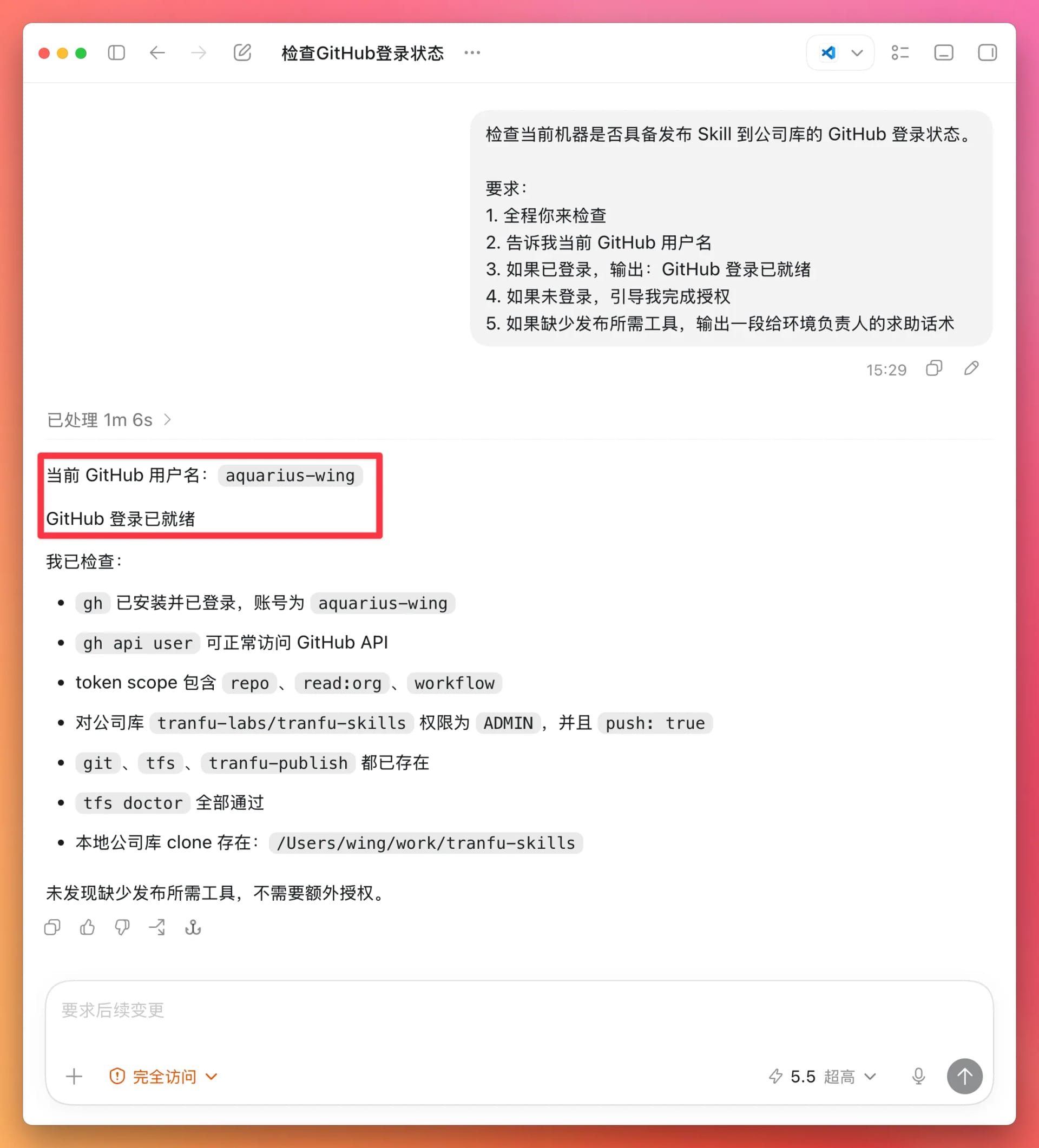
Check whether this machine is signed in to GitHub and ready to publish a Skill to the company repository.

Requirements:
1. Perform every check yourself.
2. Tell me the current GitHub username.
3. If signed in, output: GitHub login is ready
4. If not signed in, guide me through authorization.
5. If any tools required for publishing are missing, write a message I can send to the person responsible for the environment to ask for help.
The success criteria are:
GitHub login is readyGitHub username: [your account]
2. Inspect the Package: Can the Local Skill Be Published?
Before publishing, confirm two things:
- Make sure your Skill has gone through the creation workflow in the previous chapter and meets the basic requirements for a valid Skill.
- Make sure the AI can access your Skill. If you are unsure, ask it.
You can check with prompts like these:
| Type | Example prompt | What it means |
|---|---|---|
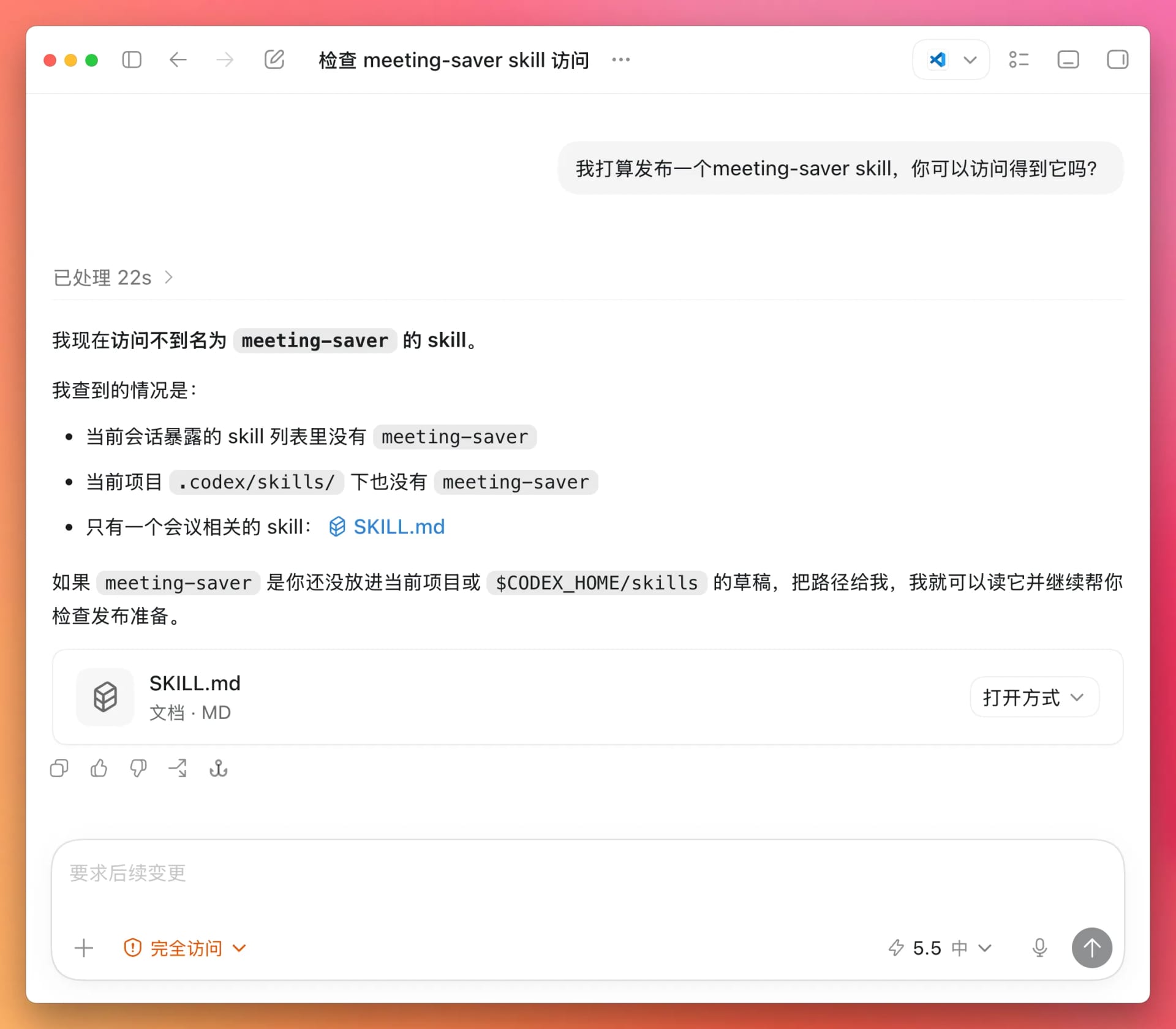
| Negative example | I plan to publish a meeting-saver Skill. Can you access it? |
If it cannot be accessed, check whether you mistyped the name or saved the Skill somewhere else. |
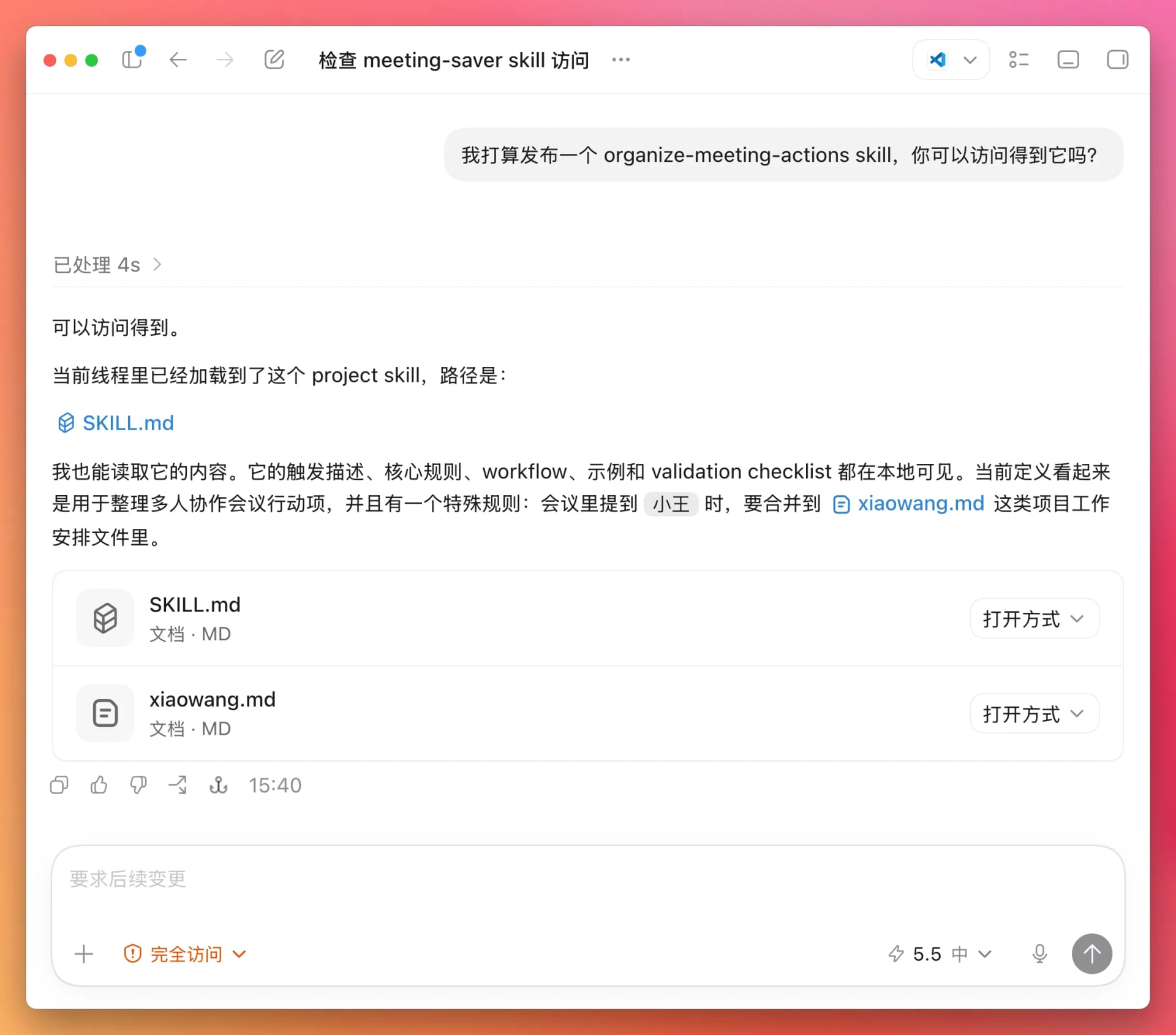
| Positive example | I plan to publish the organize-meeting-actions Skill. Can you access it? |
We created organize-meeting-actions in the previous chapter, so it should be accessible. |
Negative example screenshot:
Positive example screenshot:
3. Start Publishing:
You do not need to run any terminal commands here. Just give Codex this instruction, and it will handle the work for you:
Publish the organize-meeting-actions Skill to the Tranfu repository.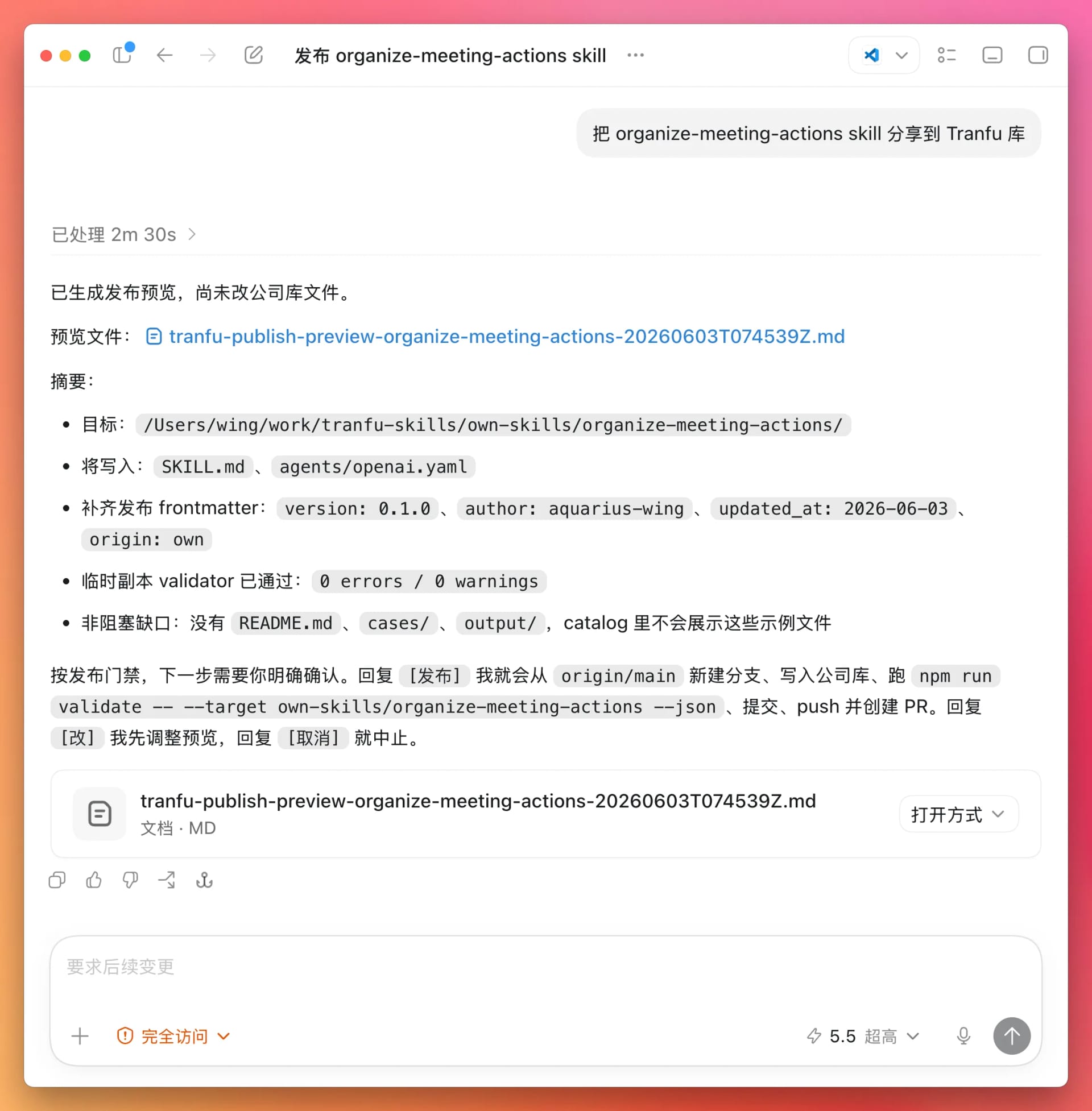
Why is there a temporary file here?
| Item | Description |
|---|---|
Default SKILL.md |
Contains only the name and description fields. |
| Additional fields required by the Tranfu repository | version, author, updated_at, and origin. |
| Purpose of the temporary file | Prepares these fields before adding the Skill to the Tranfu repository. |
What you need to do next
Simply tell Codex to publish it.
4. Get the PR Link: What Does a Successful Publication Look Like?
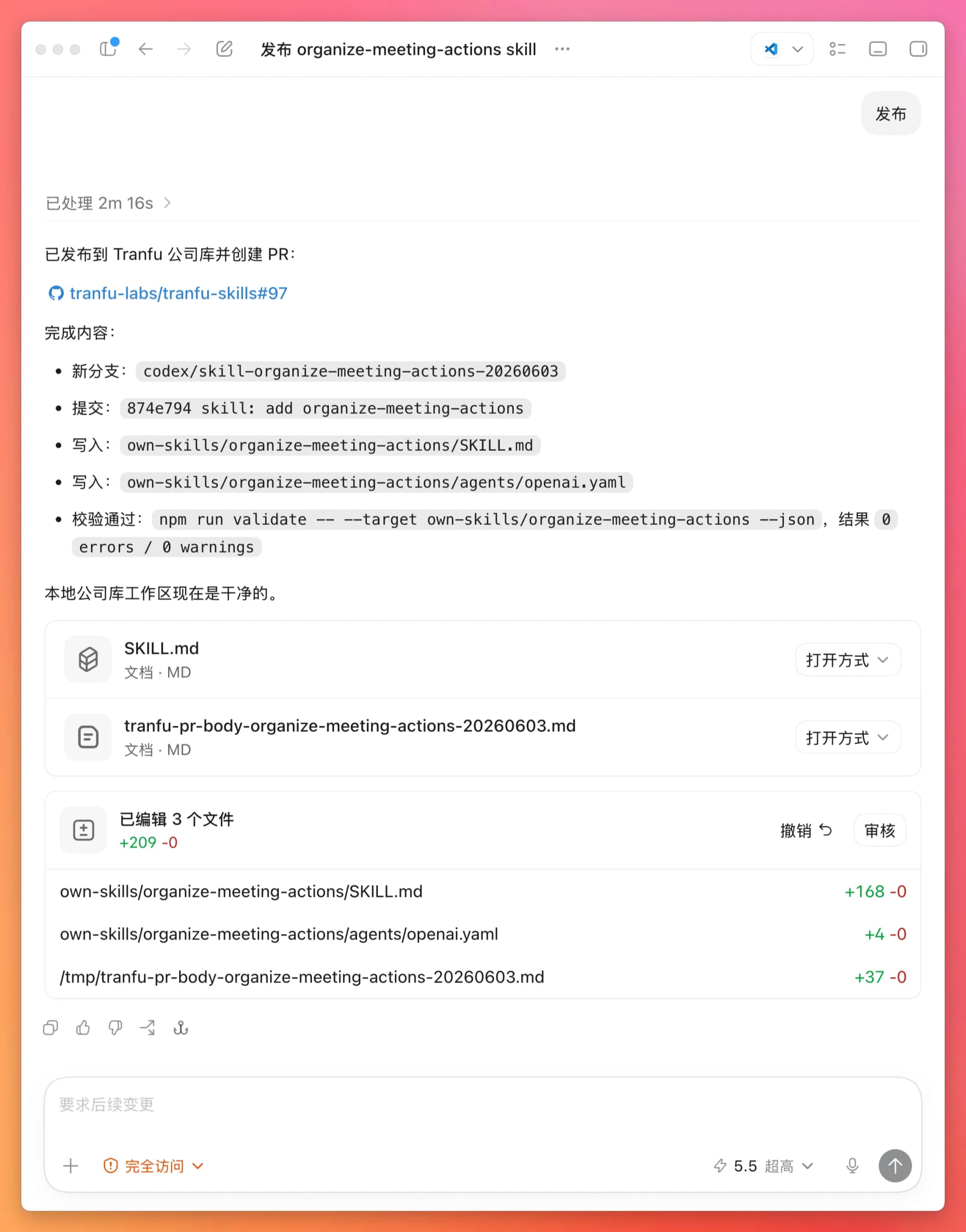
After you tell the AI to publish the Skill, it will return a link.
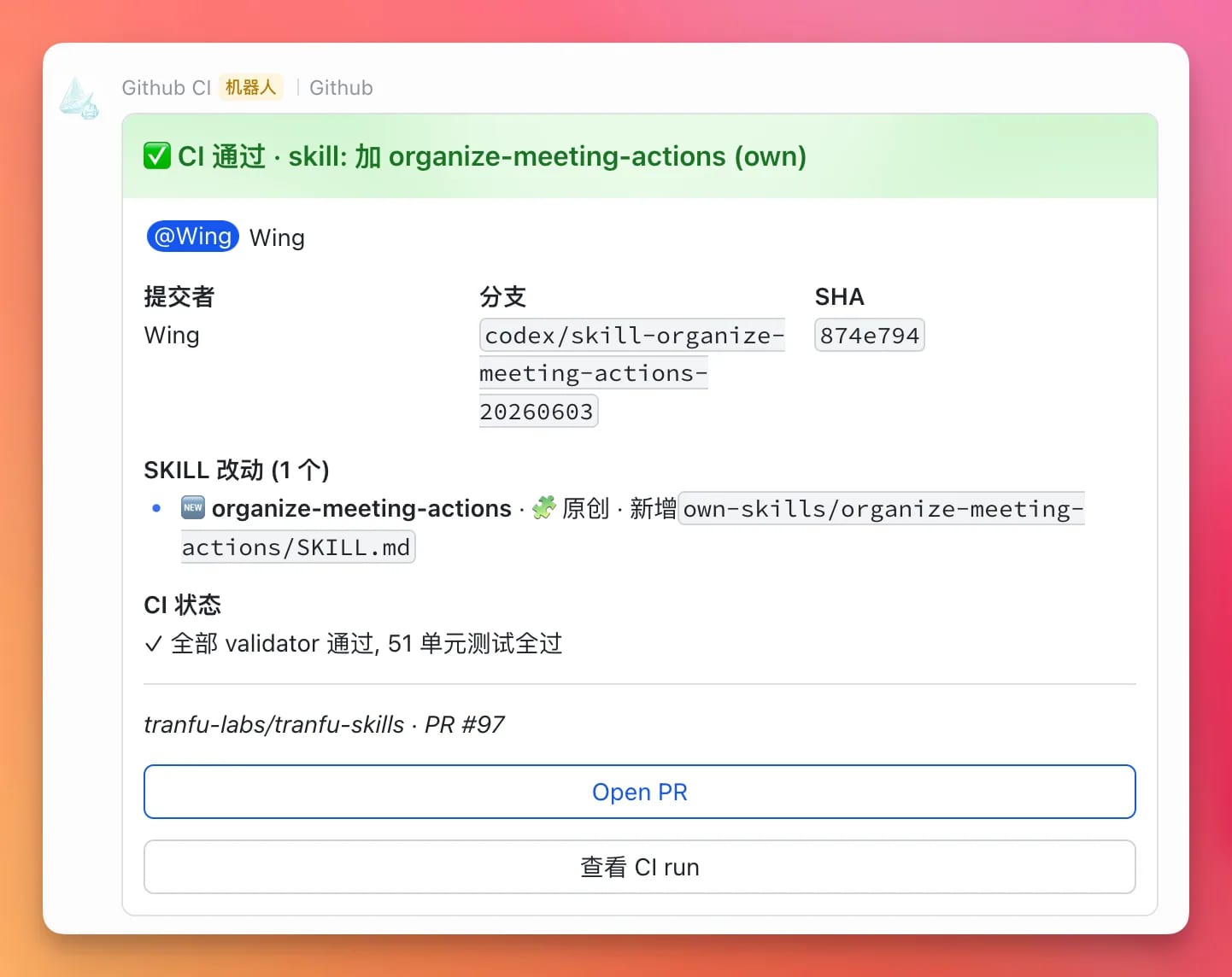
If you work at Tranfu, you will also receive a notification.
Here is the key concept:
| Concept | Description |
|---|---|
| PR | tranfu-skills/pull/97 is like an approval form containing the Skill you want to publish. It waits for a reviewer to approve it. |
Once the review is complete, you will see a message like this in the Lark group.
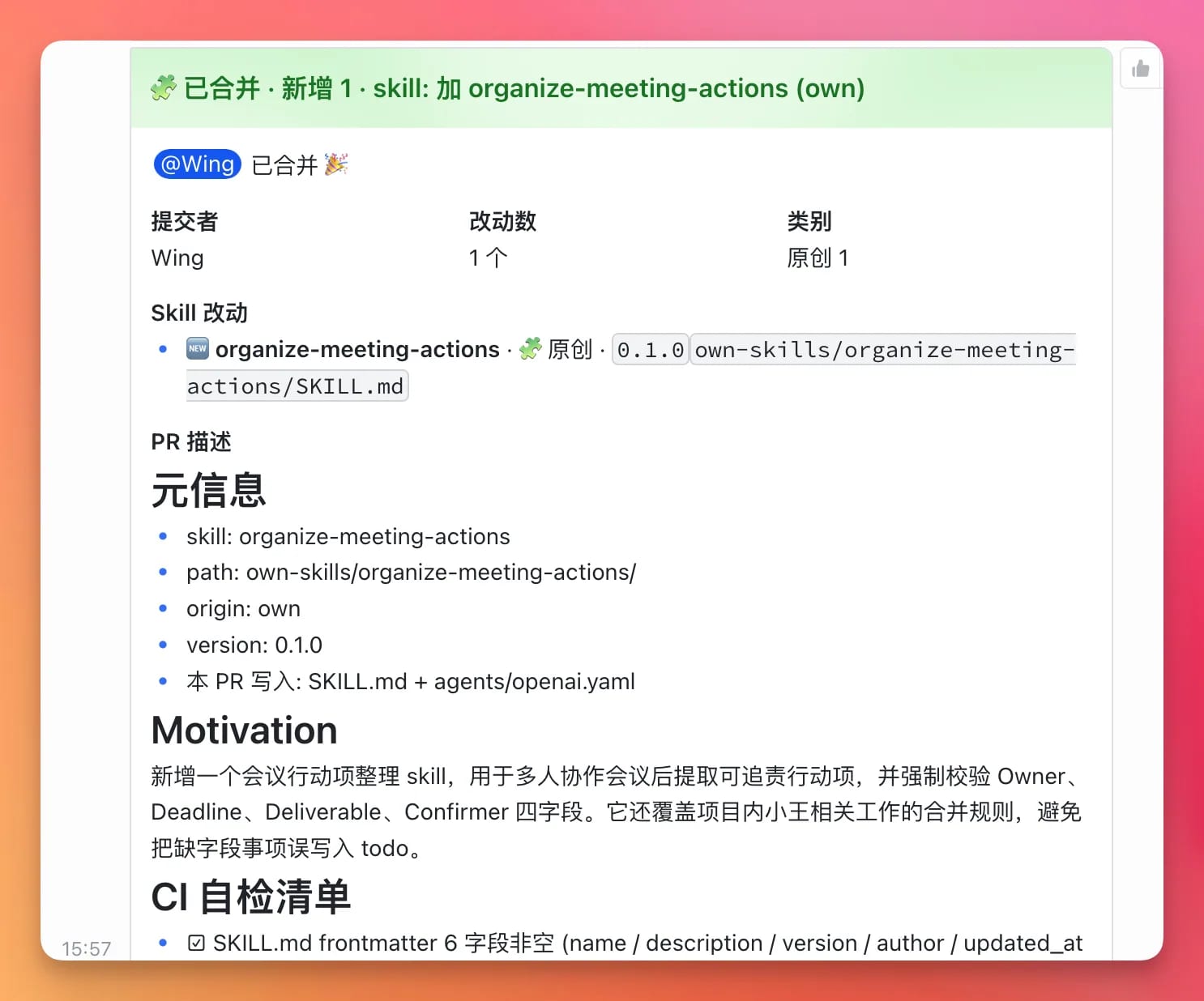
5. Publication Complete
You have now published your first Skill.